
Ugoos Launcher
Soon our team will show a brand new solution for android environment. Next month we will announce Ugoos launcher. Product built basically for TV Boxes, so main purpose of a new launcher is to offer new way in performing TV boxes’ content, Raise up usability to a new level.
We try to find a balance between most useful android features, and advantages that remote controllers offer.
Parameters and buttons, which located out of remote controller focus can be used only with air mouse pointer, so one of the tasks for our launcher is make this features more available and user-friendly.
For example some obvious things such as changing wallpaper cannot be done using RC without air mouse mode turned on or just without mouse-type additional controller.
Moving, changing creating and deleting app icons is a hard task for RC too. So launcher let customize these features in more convenient way.
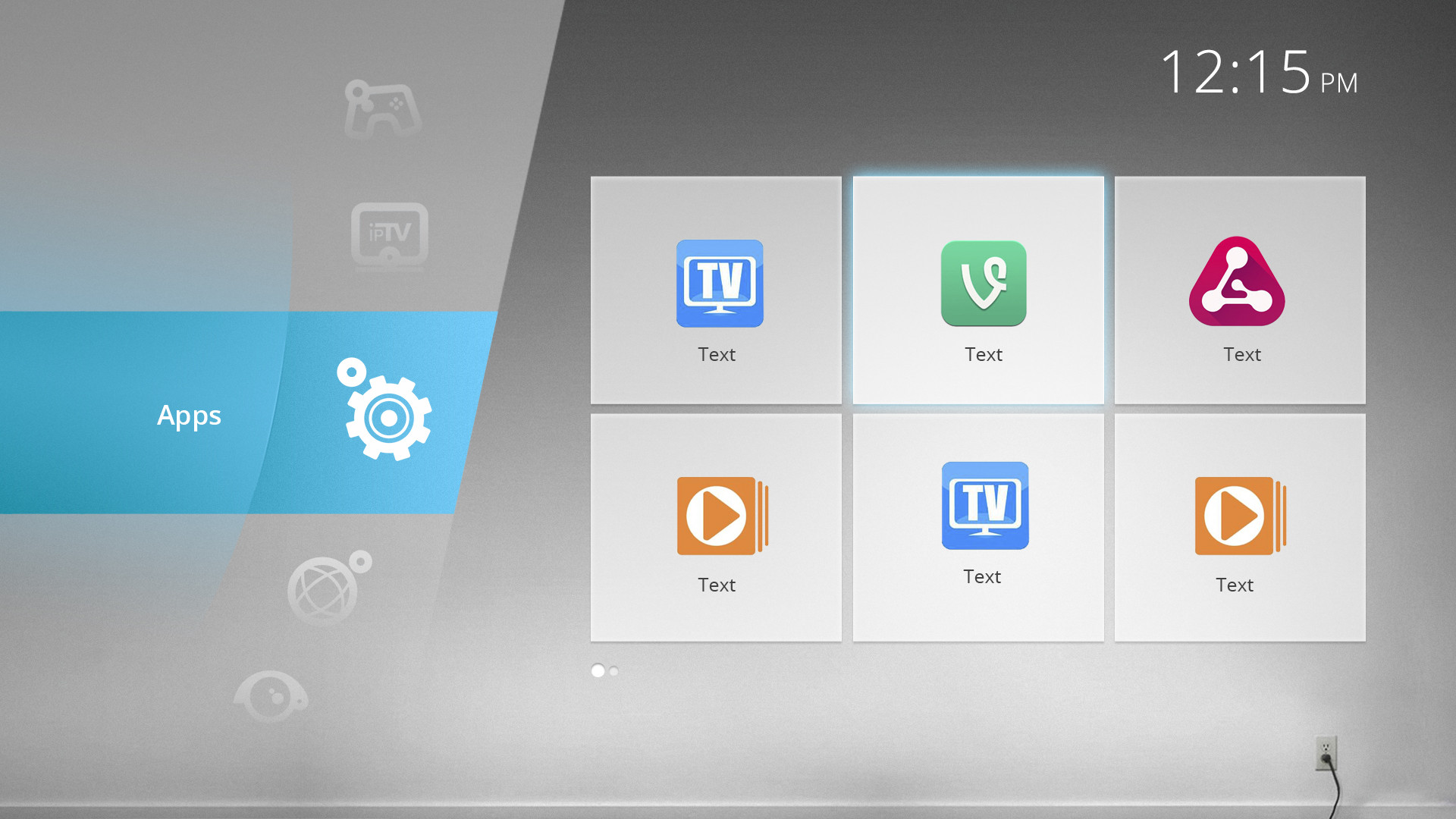
On the top of the start menu we have time indication, charge percentage (if use it for tablets), external devices indicator and Wi-Fi icon. Standard bars on the top and bottom are hidden.
Start menu shows us a category slider from the left and app icons in the category from the right. Slider moves up and down and has 8 categories which has their own original icons:
Internet
Iptv
Media
Apps
Games
Tools
Settings
Options
In every category can be chosen one default app. This app can be activated by one click on slider menu with focus staying on slider.
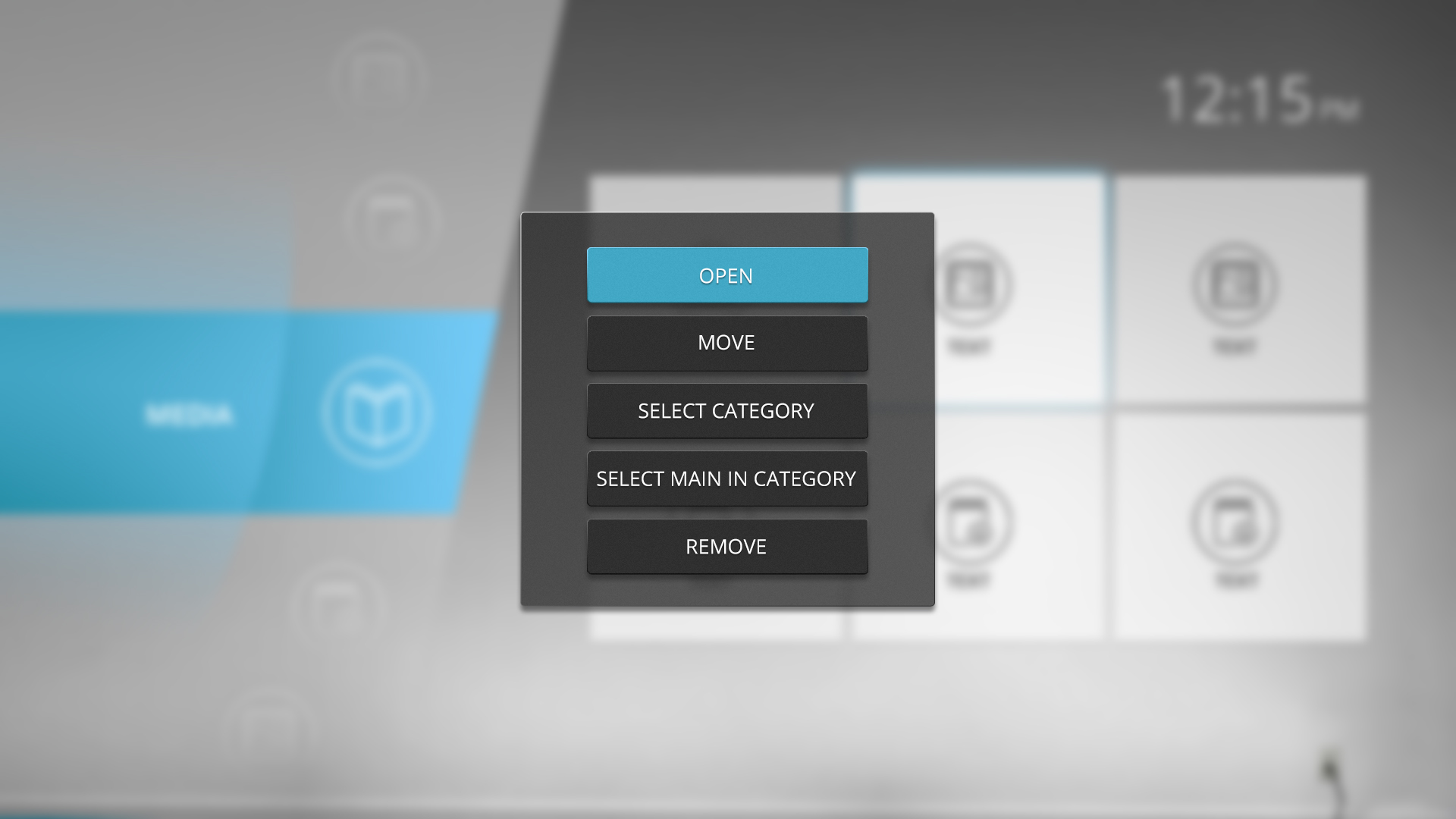
At first start all the pre-installed apps already divided on their categories. Besides, launcher has information about more than one hundred most frequently used apps, so when user will install one of them, it will appear in appropriate category. If launcher doesn’t have any information about app, then puts it in “apps” category, so user can move it to another category as well as every installed app before. All this manipulations will be able to activate with RC navigation buttons.

Our launcher using own tile type scheme and let you customize not only position of icons but size and amount of separate tiles on one screen view. All these parameters can be found in a slider options menu.
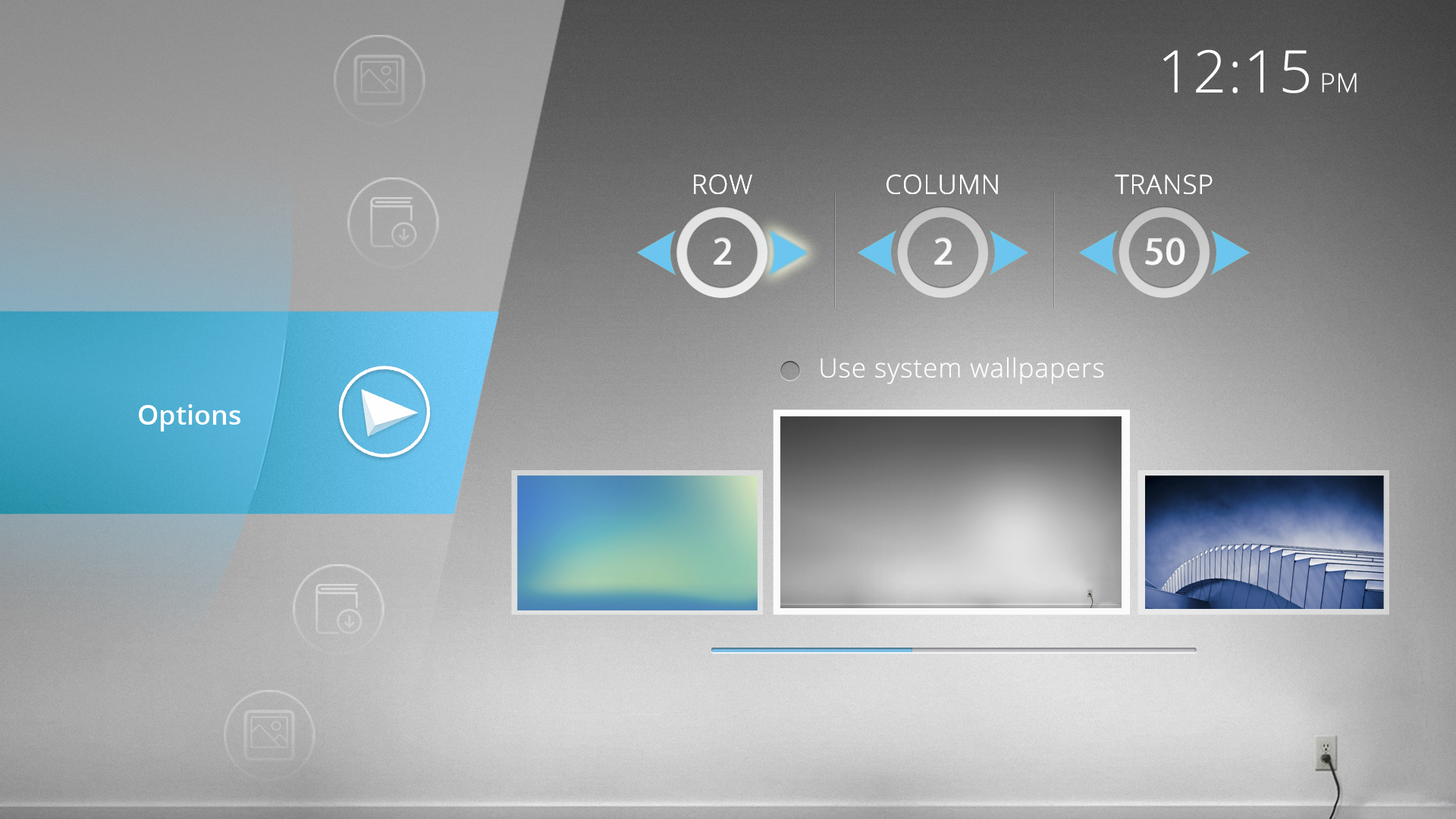
So you can change amount of rows and columns in app icons net. These parameters are limited by 5 elements in a row and column as well. Next parameter can change transparency rate for tiles in menu. 255 is a maximum level and tiles become totally transparent. Another parameter control screensaver appearing time. One more parameter allows you to change interval between two neighbor tiles. Last parameter allows you easily to change background wallpaper or get back to system wallpaper if you want to use you own picture.
Working process is almost finished so we will release first version of launcher in next few weeks.
If you have some suggestions feel free to tell us!
Find us:
Comment(S) (5)
Recomended items
Ugoos Team keeps updating it's own Android Launcher The Ugoos ULauncher is a custom home screen launcher developed by Ugoos for their Android TV boxes. It's designed to replace the standard, often cluttered, launcher that comes ...
Ugoos AM8 Family and SK1 now have ability to run Android 14. IMPORTANT: Currently, mentioned devices can get Android 14 using the AML Burning Tool with all users data been erased only. AM8 Family v.2.0.1 Android 14 https://mega.nz/file/qk ...
IMPORTANT UPDATE: Android TV 12 rollback can't be performed! We're releasing the beta version of the ATV 14 firmware for the Ugoos SK2. Ugoos SK2 ATV 14 beta: https://mega.nz/file/m8kgVLQA#miHWFfqWjVSOQRf544_XHA7teRooRX-rjYIKGSfao ...
This month Ugoos has been released two new devices: Ugoos AM9 and X5M PRO AM 9 is a next-generation device. Amlogic S905x5 CPU enhanced capabilities include following improvements: a 6nm manufacturing process and advanced ...
Comment by R. D. | Saturday, Nov 21 2015, 01:42AM
Looks great. Looking forward to it. Would like weather widget next to the clock on home screen. Thank you.
Comment by Emilio | Wednesday, Dec 16 2015, 06:03PM
Please add an autostart option for applications for the user to choose, like Openhour Chameleon Launcher, which by the way it looks like this launcher is mimicking.
Comment by renzo | Friday, Apr 1 2016, 04:59PM
great launcer I use it on my tv stick please add the option to rename a category and what does the border option do? I see no difference.
Comment by WooYeah | Saturday, Aug 27 2016, 08:50PM
Make it so we can customise the catagories. i dont use "IPTV" so id like to rename or better yet remove it. add my own catagories. Folders within catagory folders. customise the ordering of catagories. allow apps to be in multiple catagories at once.
Comment by Andres | Tuesday, Sep 12 2017, 11:11PM
Hi there. Great tv launcher! Been using it since a year ago. But I upgraded my old clone tv stick from 4.2 to 4.4 and now the wallpaper goes back to default every time I reboot. Hope you can guide me how to fix this Thanks in advance