
OTA update process on Ugoos devices
Every Ugoos device holder is able to check for the updates in settings menu. This video shows how OTA update usually works. Example device is Ugoos UT4 update 1.0.0 – 1.0.1. Your device can be update not so fast: it depends on internet connection and value of update build.
Find us:
Comment(S) (1)
Recomended items
Good news, everyone! A new firmware release is now rolling out. The OTA update to v.2.2.0 is enabled for all Android 14 users on the AM8, SK1, AM9, AM9 Pro, SK4 and X5M Pro devices. The update will arrive automatically through the built-in Update Service, ...
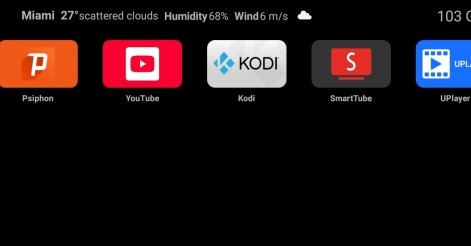
Ugoos Team keeps updating it's own Android Launcher The Ugoos ULauncher is a custom home screen launcher developed by Ugoos for their Android TV boxes. It's designed to replace the standard, often cluttered, launcher that comes ...
Ugoos AM8 Family and SK1 now have ability to run Android 14. IMPORTANT: Currently, mentioned devices can get Android 14 using the AML Burning Tool with all users data been erased only. AM8 Family v.2.0.1 Android 14 https://mega.nz/file/qk ...
IMPORTANT UPDATE: Android TV 12 rollback can't be performed! We're releasing the beta version of the ATV 14 firmware for the Ugoos SK2. Ugoos SK2 ATV 14 beta: https://mega.nz/file/m8kgVLQA#miHWFfqWjVSOQRf544_XHA7teRooRX-rjYIKGSfao ...
Comment by Baljit Singh | 22.02.2026
I am Baljit Singh from India, I really like your products. I have Ugoos AM8 Pro Android 11 box, which I have updated to Android 14. In Android 14, like Android 11, you should add the option to swipe the navigation button at the bottom of the screen in the navigation bar under the home launcher in your next update. You should also add Ugoos ATV launcher to your users in the next update. So that those who run Android TV do not have a problem. Installing Ugoos Android ATV through a separate Magisk trick is very difficult for non-technical users. I hope you will accept my request. Thank you.